
In This Article
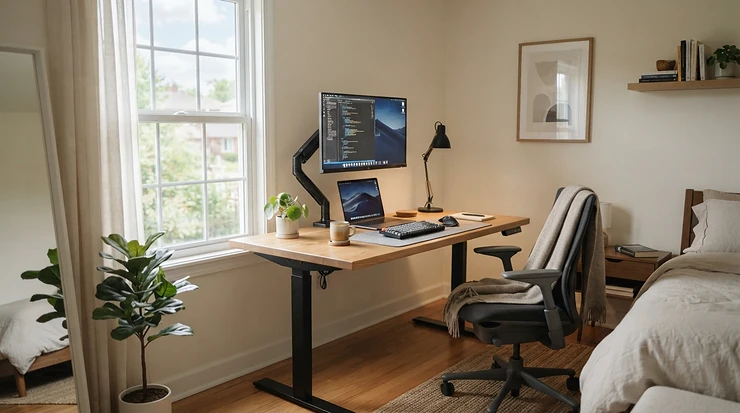
A standing desk for small flat living is a height-adjustable desk, or a desk-top riser, compact enough to sit within a bedroom nook, lounge corner or alcove while letting you work seated or standing. The best ones combine a footprint of roughly 100–120 cm wide, a stable lift mechanism and no need to drill into walls.

British flats were never designed with a desk in mind. The “office” is the end of the sofa, a corner of the bedroom, or a dining table that sulks every evening when dinner arrives. Most desks sold as “space-saving” still assume a 140 cm top and a spare metre of floor. That’s not saving space. That’s a polite lie.
This guide sticks to products that genuinely shrink. You’ll find compact 100–120 cm electric desks, a frame-only option for awkward alcoves, and two gas-spring risers that turn the table you already own into a standing workstation. It also covers what the product listings skip. That includes how an electric motor lift behaves in a thin-walled flat, why a sit stand converter is the quiet hero of the standing desk for renters crowd, and why an anti fatigue mat is the cheapest upgrade on this page.
Why bother? The Health and Safety Executive’s guidance on display screen equipment is built around one idea: people shouldn’t stay locked in one screen-work posture all day. A standing desk doesn’t work miracles. What it gives you is variety, and variety is what your back keeps asking for.
Quick Comparison: Standing Desk for Small Flat Picks at a Glance
| Product | Type | Smallest top / footprint | Price range | Best For |
|---|---|---|---|---|
| FlexiSpot E7 Pro | Dual motor electric desk | 120×60 cm | £300–£450 | Buy-once stability |
| Desktronic HomePro | Dual motor electric desk | 120×60 cm | £300–£400 | Mid-range value with USB-C |
| MAIDeSITe TH2 Pro Plus Art | Frame only, dual motor | Custom, from about 100 cm | £250–£350 (frame) | Odd alcoves, reusing a top |
| ErGear Electric Desk | Single motor electric desk | 100×60 cm | £150–£250 | Tight budgets |
| MAIDeSITe Electric Standing Desk | Single motor, lockable castors | 100×60 cm | Under £250 | Moving between rooms |
| VIVO K Series | Gas spring converter | 65 cm wide, 40 cm deep | £120–£180 | Renters keeping their own desk |
| Yo-Yo DESK 70 | Gas spring converter | 68×59 cm | £250–£310 | Single-monitor setups |
Read the table by space first and budget second. The ErGear Electric Desk and MAIDeSITe Electric Standing Desk are the most compact full desks. The two converters take no floor space at all if your existing desk is already in place. The FlexiSpot E7 Pro and Desktronic HomePro cost more, but they’re the ones to pick if the desk will carry a heavier setup for years.
💬 Just one click — help others make better buying decisions too!😊
Top 7 Standing Desk for Small Flat Picks: Expert Analysis
Each pick below is judged on what matters when floor space is scarce: footprint, stability, weight, noise and how much hassle it creates. Specs come with a translation into real life, because “160 kg capacity” means little until you know what it does to wobble.
1. FlexiSpot E7 Pro — rock-solid stability on a 120 cm top
The FlexiSpot E7 Pro‘s party trick is stiffness. Its semi-C legs and 160 kg load rating mean a laptop and a monitor arm barely register. Dual motors lift at around 40 mm/s, so switching posture takes a few seconds, which is quick enough that you’ll actually do it. The 63.5–128.5 cm range (without a top) lets shorter and taller people both reach a sensible elbow height. The smallest top FlexiSpot pairs it with is 120×60 cm, so it isn’t the tiniest desk here. Think of it as the sturdy choice when you have one metre twenty of wall to spare.
On the spec comparison, it suits anyone with a docked laptop or single monitor arm who would rather buy once. The load rating is far more than a flat needs, but the engineering behind it is what keeps sway low at standing height. Weight is the catch: 41–54 kg depending on the top, which matters on a third-floor walk-up.
Published reviewers praise its stability and value for a dual-motor desk. The recurring complaints are an assembly time of an hour or more, no Bluetooth control, and heavy chipboard tops.
Pros:
- ✅ Very stable even at full standing height
- ✅ Wide 63.5–128.5 cm height range
- ✅ Four memory presets and anti-collision
Cons:
- ❌ Smallest top is still 120 cm wide
- ❌ Heavy to carry upstairs and slow to assemble
Expect roughly £300–£450 for the smaller tops (check current price); strong value if you’ll keep it for years.
2. Desktronic HomePro — touchscreen keypad with built-in USB-C charging
Cable clutter is a small desk’s quiet enemy, and the Desktronic HomePro tackles it directly. Its keypad has USB-A and USB-C charging built in, so your phone charger no longer needs a spot on the desktop. Three-stage legs give a 63–128 cm range, the dual motors carry 160 kg, and one-piece tops start at 120×60 cm. The manufacturer quotes a noise figure below 39 dB. That’s a claim, not an independent measurement, but a quiet motor genuinely matters when a bedroom wall is also your office wall.
One reviewer found lateral sway almost non-existent compared with budget single-motor desks. In that review, only the MAIDeSITe TH2 Pro Plus Art class of frame felt steadier at height. Three-stage legs also tend to help both shorter and taller users, and that makes this a sensible shared-flat desk when two people have different heights. What most buyers overlook is the one-piece top. It wipes clean easily and braces the frame, but it’s an awkward single slab to carry through a narrow hallway.
Reviewer sentiment is warm on stability and the touchscreen. The usual quibble is price against entry-level single-motor units.
Pros:
- ✅ Built-in USB-A and USB-C reduces clutter
- ✅ Dual motors with three-stage legs
- ✅ One-piece tops in several colours
Cons:
- ❌ Costs more than single-motor starter desks
- ❌ Only three memory presets
Around £300–£400 in the sizes that suit a flat (check current price); good value for the stability.
3. MAIDeSITe TH2 Pro Plus Art — frame-only, built for awkward alcoves
Flats are full of odd gaps, and the MAIDeSITe TH2 Pro Plus Art is a frame that adapts to them. It’s frame-only, so you supply the desktop. The frame suits tops from about 100 to 220 cm long and 60 to 100 cm deep. Dual motors, oval three-stage legs and a 180 kg rating give it a lot of headroom, and the height range is about 62–127 cm (the reviewer’s table and spec list differ slightly, so check the listing). One published reviewer shortened an old 180×80 cm top to 120×80 cm to fill an exact space. That’s a smart trick when no off-the-shelf top fits your alcove.
For a small flat, the value is fit rather than footprint. You can reuse a solid-wood top you already own, which also suits anyone who dislikes laminate. Four presets, a child lock, USB ports and 30-minute sit/stand reminders cover the daily-use basics.
Reviewers describe it as very stable, even with a walking pad running nearby. The cons are honest ones. You need to be comfortable drilling pilot holes in your own top, and the frame price excludes a work surface.
Pros:
- ✅ Frame width adjusts to alcoves and odd spaces
- ✅ Very stable with a 180 kg rating
- ✅ Reuses a top you already own
Cons:
- ❌ Needs DIY drilling to fit a custom top
- ❌ No work surface included
Roughly £250–£350 for the frame alone (check current price); excellent value if you already own a decent top.
4. ErGear Electric Desk — the 100 cm entry ticket
If space and budget are both tight, the ErGear Electric Desk is the entry ticket. It’s offered from 100×60 cm, with a single motor and two-stage legs giving 72–118 cm and an 80 kg load. The motor lifts at roughly 20 mm/s, slower than dual-motor desks. That’s fine for a laptop-and-monitor flat setup, where you’re raising a few kilos rather than a battle station. Four memory presets are generous at this price, and anti-collision and overheat protection come as standard.
The trade-offs are the usual budget ones. A spliced top leaves a central seam, which can bother precise mouse work, and the 72 cm minimum height may sit high for shorter users. A reviewer found it stable enough for typing, with slightly more wobble than three-stage desks, and said it could be assembled alone in under 45 minutes. The manufacturer claims motor testing to 50,000 lift cycles, which I’d treat as marketing until long-term owner reports back it up.
Reviewers broadly call it a reliable starter desk, with motor noise the most common mild gripe.
Pros:
- ✅ Compact 100×60 cm option available
- ✅ Four presets, anti-collision included
- ✅ Assembly in around 45 minutes
Cons:
- ❌ Slower, louder single motor
- ❌ Spliced top seam and limited height range
Entry-level pricing, around £150–£250 for compact tops (check current price); superb value for first-timers.
5. MAIDeSITe Electric Standing Desk — castors and storage for shared spaces
The MAIDeSITe Electric Standing Desk is the one to consider if your office has to disappear at six o’clock. Lockable castors let you roll it out of the way, and the bundle includes a fabric drawer, felt side bag, headset hooks and a cable tray. The specs are modest: a single motor, 72–120 cm range, 80 kg capacity and tops from 100×60 cm.
The practical value is in how it fits a flat’s rhythm. Park it in a corner, lock the wheels and you have a desk that behaves. Do bear in mind that castors can mark softer laminate or wood floors, so renters should check the surface and lock them every time. Reviewers noted that the two-stage legs moved slightly more than rivals when walking on a nearby treadmill, but minimal wobble when simply standing. The three-piece top took just under an hour to assemble.
Published feedback is positive on storage and a quiet motor for the money. Reviewers caution that the fabric drawer suits only light stationery.
Pros:
- ✅ Lockable castors for moving between rooms
- ✅ Storage bag, drawer and hooks included
- ✅ Quiet motor for its class
Cons:
- ❌ Slower single motor, limited height range
- ❌ Fabric drawer holds only light items
Under £250 (check current price); very good value if you want storage without buying extra furniture.
6. VIVO K Series — vertical-lift sit stand converter for existing desks
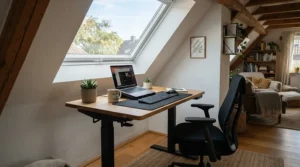
A sit stand converter is the lowest-commitment route, and the VIVO K Series does it well. Its K-frame lifts vertically instead of arcing toward you, so the monitor doesn’t drift into your face as it rises. That saves desk depth, which is valuable on a shallow table. The converter adds 11.4–50.8 cm of height, carries 15 kg on the desktop and 2 kg on the keyboard tray, and uses dual gas springs with a side handle. Widths run from 65 to 122 cm, with a 40 cm depth.
For a standing desk for renters, the appeal is obvious: no fixings and nothing to carry out in a skip. The nuance is fit. The tray sits fixed relative to the top, and the minimum height keeps the keyboard about 2 cm above the desk when lowered, which may feel bulky on a very small desk. A reviewer reported minimal wobble at full height and little assembly, just four screws for the tray.
Reviewers like the smooth lift and stability. They flag a fingerprint-prone finish and note that complete electric desks can cost less.
Pros:
- ✅ Vertical lift saves precious desk depth
- ✅ No tools beyond four screws needed
- ✅ Supports clamp-on monitor arms
Cons:
- ❌ Fixed keyboard tray feels bulky on tiny desks
- ❌ Not cheap against some full desks
Around £120–£180 (check current price); fair value if you already own a decent desk.
7. Yo-Yo DESK 70 — compact gas spring riser for single monitors
At 68 cm wide and 59 cm deep, the Yo-Yo DESK 70 is the smallest converter here. It’s designed for a single monitor or laptop on a small desk. It offers 15 height positions between 15 and 50 cm, and a 15 kg load. The aluminium gas spring lets you switch from sitting to standing with a quick press of levers on each side, and the manufacturer lists a 3-year warranty. Combined depth is 78 cm, so check that your desk is deep enough before buying.
On paper this is the polished option for small desks, and the keyboard tray is wide enough that you don’t feel punished for being compact. Independent reviewers have rated the broader Yo-Yo converter family highly. TechRadar called the bigger Yo-Yo Desk 90 a fantastic split-level converter, and Walks4all found a Yo-Yo converter sturdier than the VIVO K Series but twice the price. Availability varies by retailer: one UK stockist listed it as temporarily unavailable at the time of research, so check the Amazon listing.
Pros:
- ✅ Tiny 68×59 cm worktop footprint
- ✅ 15 adjustable heights, smooth gas spring
- ✅ 3-year warranty
Cons:
- ❌ Dearer than most converters
- ❌ 78 cm combined depth needs a deep-enough desk
Around £250–£310 (check current price); worth it if you value build quality over the lowest price.
Specs at a Glance: Lift, Height and Load
| Product | Lift type | Height range | Load | Best For |
|---|---|---|---|---|
| FlexiSpot E7 Pro | Dual electric | 63.5–128.5 cm | 160 kg | Heavy monitor arms |
| Desktronic HomePro | Dual electric | 63–128 cm | 160 kg | Cable-free charging |
| MAIDeSITe TH2 Pro Plus Art | Dual electric (frame) | About 62–127 cm | 180 kg | Custom or reused tops |
| ErGear Electric Desk | Single electric | 72–118 cm | 80 kg | First standing desk |
| MAIDeSITe Electric Standing Desk | Single electric | 72–120 cm | 80 kg | Storage and mobility |
| VIVO K Series | Gas spring | +11.4–50.8 cm above desk | 15 kg | Simple add-on |
| Yo-Yo DESK 70 | Gas spring | +15–50 cm above desk | 15 kg | One screen, small desk |
Notice how the table splits into three camps. The FlexiSpot E7 Pro, Desktronic HomePro and MAIDeSITe TH2 Pro Plus Art have the widest ranges and load margins, which helps if you’re very short, very tall or running two screens. The ErGear Electric Desk and MAIDeSITe Electric Standing Desk trade range for price. The converters aren’t comparable on range at all, since their height is added to whatever desk you already have.
How to Choose a Standing Desk for Small Flat Living
The right choice comes down to six decisions, made in this order.
- Measure the space, not the wish list. Mark the exact width and depth with masking tape on the floor. A top of 100–120 cm wide and at least 60 cm deep is the realistic sweet spot for a laptop plus one screen.
- Decide between a full desk and a converter. If you own a desk you like, or can’t alter anything, a converter saves money and floor space. If your current desk is wobbly or too deep, replace it.
- Check the minimum height. Your elbows should sit at about 90 degrees when seated. If you’re under roughly 163 cm, look for a minimum near 62–65 cm, remembering that a thick top adds height.
- Match the lift to the load. Single motors suit a laptop and one monitor. Dual motors are worth it for monitor arms, heavier kit or daily heavy use.
- Count the stairs. A 41–54 kg desk is a different proposition on the fourth floor. Unbox downstairs and carry parts separately.
- Look for safety basics. Anti-collision, a child lock and a UK plug matter, and so does a recognised UKCA or CE mark.
One more reality check: don’t buy a standing desk as a fat-burning machine. A systematic review found standing burns only about nine extra calories an hour compared with sitting. Buy it for posture variety, not weight loss.
Sit Stand Converter vs Full Desk: Which Suits a Small Flat?
The honest answer is that it depends on what you already own and how often you move house.
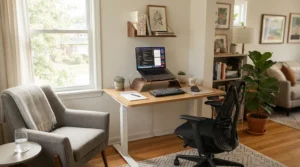
A sit stand converter such as the VIVO K Series or Yo-Yo DESK 70 keeps your existing desk and adds a lifting platform. It takes minutes to set up, costs less, and goes with you when you move. The weak points are capacity and desk depth. With a 15 kg limit and a combined depth of up to 78 cm for the Yo-Yo DESK 70, a tiny table can feel crowded, and a dual-monitor setup is out of reach.
A compact full desk, such as the ErGear Electric Desk, replaces your table entirely. You get a bigger, steadier surface and a smooth electric motor lift, but you also take on assembly, weight and a bigger footprint.
| Option | Footprint | Setup effort | Renter-friendliness | Best For |
|---|---|---|---|---|
| VIVO K Series (sit stand converter) | Sits on your existing desk; needs clear depth | Minutes | No fixings, easy to move | Renters who own a decent desk |
| ErGear Electric Desk (compact electric) | 100×60 cm | About 45 minutes | Freestanding but heavy | Replacing a wobbly desk |
| Fixed-height desk and chair | Whatever you own | None | Zero risk | Tight budgets, no posture variety |
The table shows why converters win on flexibility and full desks win on ergonomics. If you work seated most of the day and only want to stand for calls, a converter is plenty. If you’ll rotate positions several times daily, a full desk with presets removes friction, and friction is what kills habits.
Electric Motor Lift Explained: Single, Dual and the Noise Question
An electric motor lift is what separates a desk you use from one you admire. In plain terms, motors in the legs raise and lower the top at the press of a button, and the details decide how it feels in a flat.
Single vs dual motors. Single motors are cheaper and fine for light loads, but they lift slower (the ErGear Electric Desk is around 20 mm/s) and can feel less steady with weight. Dual motors, like those in the FlexiSpot E7 Pro at around 40 mm/s, lift quicker and share the load, which reduces sway.
Brushed vs brushless. Brushed motors are common in budget desks and tend to be noisier. Brushless motors are quieter, smoother and typically last longer.
Noise in a thin-walled flat. Manufacturers quote anything from below 39 dB (Desktronic HomePro) to 55 dB or under (ErGear Electric Desk), but those figures aren’t measured the same way. The useful fact is that the motor only runs for seconds. Gas spring converters make no motor noise at all, which is a real advantage if you share a wall with a light sleeper.
Duty cycles. Most motors are rated for something like two minutes on, eighteen off. That’s irrelevant for normal sit-stand use but worth knowing if you fidget with heights.
Standing Desk for Renters: Get the Benefits Without Losing Your Deposit
A standing desk for renters has a different shopping list. Your priorities are no fixings, easy removal and nothing that damages floors or walls.
- Prefer freestanding or add-on designs. Converters need no tools beyond a few screws. Full electric desks are freestanding too, but they’re heavy to move.
- Protect the floor. The MAIDeSITe Electric Standing Desk has lockable castors, so use them, and consider felt pads or a thin mat on soft laminate. Photograph the floor before you start.
- Use clamps, not drills. If you want a monitor arm, choose a C-clamp model. The VIVO K Series supports clamp-style monitor mounts at the rear.
- Check your tenancy agreement. Heavy furniture and any assembly that touches walls or flooring may be covered, so read it first.
- Think resale. Compact desks and converters sell on well, and a frame like the MAIDeSITe TH2 Pro Plus Art is useful again when you move into a place with a different alcove.
For a standing desk for renters, the lowest-risk combination is often a sit stand converter on your existing table plus an anti fatigue mat. Together they cost far less than a full desk, leave no trace, and fit in a car boot when your tenancy ends.
Anti Fatigue Mat: The Cheapest Upgrade on This Page
Standing without an anti fatigue mat is how most people end up hating their standing desk by Thursday. Feet and calves tire long before your back does, and a mat shifts the balance.
Reviews of research on prolonged standing at work link it with leg and back discomfort and fatigue. That’s why the advice is always to alternate positions rather than stand all day.
Here’s what to look for in an anti fatigue mat for a small flat:
- Supportive give, not mush. You want a little rebound, not a sinking feeling.
- Bevelled edges. They reduce the trip hazard.
- A wipeable, grippy surface. This matters on laminate in a flat.
- Size. Wide enough to shift your stance, narrow enough to stash under the desk.
Three options come up repeatedly:
- The Ergodriven Topo has a contoured surface that encourages small foot movements. Wirecutter’s testing found it the most comfortable for feet and legs, and noted it takes up less space than wide flat mats. Reviewers also warn it’s a trip hazard if left out and comes in a single size.
- The ComfiLife mat is a simple high-density foam option that Wirecutter recommended for people who stand infrequently.
- The Duronic DM-MAT2 is a more affordable flat mat with a practical size, described by Walks4all as strong value.
In a small flat, the contoured Ergodriven Topo saves floor area, while a flat mat like the ComfiLife is simpler to slide away. Whichever you choose, treat it as part of the desk budget.
Standing desks and mats aren’t medical devices. If you have circulation, back or joint problems, check with your GP before changing your routine.
✨ Ready to Stand Tall Without Losing Floor Space?
🔍 Click any highlighted product name above to check current pricing and availability. Pair a compact desk or converter with a decent mat, and you’ll build a workstation that fits your flat and your back!
Setting Up Your Standing Desk for Small Flat Life: The First 30 Days
Setup is where most people stumble, so treat the first month as a small project.
Day one: build and position
- Unbox downstairs. Check the parts against the manual before carrying anything up.
- Set your sitting height. Surface level with the underside of your elbows, forearms parallel to the floor, shoulders relaxed.
- Set your standing height. Stand in your usual footwear (or on your anti fatigue mat) and keep that same 90-degree elbow angle.
- Leave cable slack. Make sure cables reach the maximum height without pulling taut, and route the loop away from the legs.
Weeks one to three: build the habit slowly
Start with two to four posture changes a day, not hours of standing. In weeks two and three, move towards 10–20 minutes of standing per hour, or two 30-minute blocks. In the BMJ-published SMArT Work trial, a package that included sit-stand desks reduced workplace sitting time, though the desk was only one part of the programme. Pair the desk with prompts and routines, and set a timer if your desk lacks reminders.
Month one onwards: maintain
- Re-tighten the bolts after the first month, since lifting vibrations can loosen them.
- Wipe weekly with a soft cloth and mild soap.
- Vacuum around the legs monthly to keep dust out of the motor housing.
- Only use the lubricant the manufacturer recommends on the columns, and never ordinary WD-40.
Three Flats, Three Choices: Real-World Scenarios
These are illustrative profiles, not testimonials. They show how the reasoning above plays out.
The renter in a one-bed. Imagine someone in a rented one-bed with a 120 cm table in the lounge, working hybrid three days a week and unable to drill anything. Budget: modest. The sensible route is a Yo-Yo DESK 70 or VIVO K Series plus a flat mat. Total spend stays low, nothing is fixed to the property, and everything moves with them.
The student in a studio. Picture a studio flat with a 100 cm nook beside the bed and a student who works long evenings. The ErGear Electric Desk in 100×60 cm fits the nook, and its four presets let a flatmate share it. Add a clamp-on arm to free surface space.
The full-time home worker with two screens. Imagine a two-bed with a 120 cm alcove and a monitor arm carrying two screens, used eight hours a day. Here a dual-motor desk earns its price: the Desktronic HomePro for the USB-C keypad, the FlexiSpot E7 Pro for maximum stiffness, or the MAIDeSITe TH2 Pro Plus Art if the alcove is an awkward width and a custom top is needed.
Standing Desk for Small Flat Problems and Their Solutions
Even good desks misbehave. Here are five common problems and what to do.
- Wobble at full height. Lower the desk by 1–2 cm, re-tighten all bolts, shorten monitor-arm extension and keep heavy items centred. One-piece tops and three-stage legs help.
- Noise worries with neighbours. A motor runs only for seconds, but if you’re sensitive about walls, favour quieter motors or a gas spring converter such as the VIVO K Series, and avoid late-night adjustments.
- Sore feet by mid-afternoon. Add an anti fatigue mat, alternate positions every 30–60 minutes and wear supportive footwear.
- Desk too high when sitting. This hits shorter users on two-stage frames like the ErGear Electric Desk. Consider a three-stage frame or an under-desk keyboard tray.
- Cables snagging when the desk rises. Leave slack, use a cable tray and check the loop before you press the button.
Long-Term Cost and Maintenance: Is It Really Worth the Money?
Treat the purchase as cost per use rather than a sticker price. A £350 desk used daily for five years works out at roughly 19p a day. That’s an illustrative sum, not a quoted price, but it shows why durability matters more than the lowest ticket.
Running costs are tiny. Desk control boxes commonly list standby consumption of around 0.1 W, and the motor works for seconds a day, so electricity is a rounding error. The real costs are the optional extras: a mat, a cable tray and a clamp-on monitor arm.
Warranty is a useful signal. FlexiSpot’s UK materials list a 10-year warranty on the FlexiSpot E7 Pro (check the listing for current terms), while the Yo-Yo DESK 70 carries three years. Cheaper desks tend to have shorter cover, so factor that in.
Maintenance is light. Tighten bolts after the first month, vacuum monthly and follow the manufacturer’s lubrication advice. Do that, and a decent frame should outlast two or three tops.
Safety, Standards and Health Considerations
A few checks protect both you and your landlord’s flooring. Look for a UKCA or CE mark on the electrics and confirm the listing ships with a UK plug. Anti-collision stops the desk when it meets resistance, which matters if there’s a pet or child about, and a child lock prevents accidental lifting.
On health, keep expectations realistic. Standing isn’t automatically better than sitting, and prolonged static standing has its own downsides. If you have a circulatory condition, back or joint problems, or are pregnant, speak to your GP before making big changes, and stop if you feel pain, dizziness, numbness or swelling.
Standing Desk for Small Flat FAQs
❓ What is the smallest electric standing desk for a small flat?
❓ Is a sit stand converter good for a standing desk for renters?
❓ Do I need an anti fatigue mat with a standing desk?
❓ Is an electric motor lift noisy in a flat?
❓ How much does a standing desk for small flat living cost in the UK?
Conclusion: Choose by Space First, Then Stability
A standing desk for small flat living is really a space-and-habit decision. Start with the tape measure, then match the lift to your load and the product to your tenancy. If you rent or own a decent desk, a sit stand converter like the Yo-Yo DESK 70 or VIVO K Series is the lowest-risk route. If you want a dedicated station, the ErGear Electric Desk and MAIDeSITe Electric Standing Desk are the most compact budget options. Buyers who want maximum stability should look at the Desktronic HomePro or FlexiSpot E7 Pro, and the MAIDeSITe TH2 Pro Plus Art is the answer to a strange alcove.
Whatever you buy, add an anti fatigue mat, alternate positions every 30–60 minutes and re-tighten those bolts after month one. A standing desk won’t fix your day, but it will stop your flat’s smallest corner from quietly wrecking your back.
Recommended for You
- 3 Piece Dining Sets: 7 Best Space-Saving Picks For UK (2026)
- Dining Table And Chairs Sets: 7 Best Picks For UK Homes (2026)
- 5 Piece Dining Sets: 7 Best Buys For Small UK Homes (2026)
Disclaimer: This article contains affiliate links. As an Amazon Associate, I earn from qualifying purchases. If you purchase products through these links, we may earn a small commission at no additional cost to you.
✨ Found this helpful? Share it with your friends! 💬🤗
